Comparison
ChibiChu vs Picrew & CHARAT: Which Chibi Maker Fits
ChibiChu against browser makers such as Picrew and CHARAT: what needs a download, what works in a tab, and which one suits the character you want to make.
The short answer
ChibiChu is a download: a modified build of Gacha Life you install and run. Picrew and CHARAT are tabs: you open a page, click parts together, and save a picture. Neither kind is better in general, and comparing them as if they were the same product is how people end up disappointed.
If you want one cute avatar in five minutes with nothing installed, use a browser maker. If you want to place a part by hand, import your own art, save a pose, or keep layers, that is ChibiChu.
Side by side
| ChibiChu | Picrew | CHARAT (CHOCO / GENESIS2) | |
|---|---|---|---|
| How it runs | Downloaded build (Windows, Android APK) | In the browser | In the browser |
| Cost | Free | Free makers; each creator sets the rules | Free to use; high-resolution download is paid |
| Art source | Gacha Life library plus your own imported images | Parts drawn by each individual creator | One house style per maker |
| Custom poses | Yes, built part by part | Limited by the creator's parts | Limited |
| Layered export | PSD | No | No |
| Rules | The project's own | Each creator sets their own | The site's own terms |
Where the browser makers win
- Nothing to install. No 600 MB download, no APK, no "install from unknown sources" prompt.
- Instant and disposable. Open a tab, make something, close it — nothing touches your disk.
- Style range. Picrew alone hosts makers in dozens of art styles, each drawn by a different artist.
Where ChibiChu wins
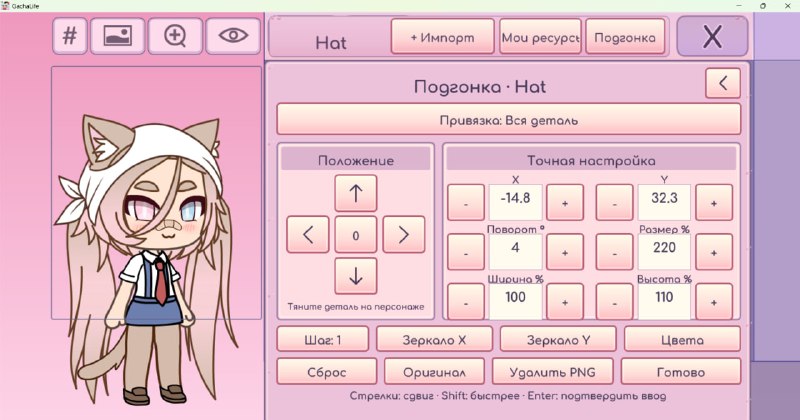
- Hand placement. Moving a hair strand or an accessory by pixels is the whole point of the mod. A parts-based maker physically cannot offer it.
- Your own art. Importing an image as clothing or as a facial detail has no equivalent in a browser maker.
- Layered output. A PSD keeps the character editable; a browser maker hands you a picture.
- Character codes. A finished character travels as a code, not as a screenshot.
Two things people get wrong
A browser maker is not automatically more private. Putting art into any site is still uploading art. Both kinds of tool keep whatever their terms say they keep — read those terms.
Picrew is not one product. Every maker is made by an individual artist with individual rules, including whether you may use the result commercially. "Picrew allows it" is not a meaningful sentence; the specific maker's page is.
Choosing in one line
| What you want | Open |
|---|---|
| A quick avatar with nothing installed | Picrew or CHARAT |
| To hand-place parts and recolour outlines | ChibiChu |
| Your own drawings on the character | ChibiChu |
| A layered file to keep editing | ChibiChu |
| Commercial use of the result | The specific maker's rules first, then the mod's |
Before you decide
ChibiChu wants 64-bit Windows 10 or 11, or an Android device (APK), and roughly 600 MB — 615 MB for the APK. If none of that is your situation, a browser maker is the honest answer. The download guide has the requirements in full, and the feature list shows what you would be giving up.